Find the sound you remember
Search sample names and folders, then narrow a large collection with musical and descriptive filters.

Aethr Audio / Vault
 Sound library workflow
 Sample Library
Find the sound. Hear it in context. Get back to making music.
A focused macOS browser for searching and auditioning the sample libraries you already own.
$39.95 USD
One-time purchase
macOS 13 or later
Apple silicon + Intel
VAULT browses folders you choose on your Mac. Sample libraries are not included.
Platform
macOS 13 or later
Architecture
Apple silicon + Intel
Purchase
One-time · $39.95 USD
Library access
Choose folders on your Mac
Built for the creative search
Keep your sounds in the folders you know. VAULT brings search, auditioning, and musical details into one calm workspace.
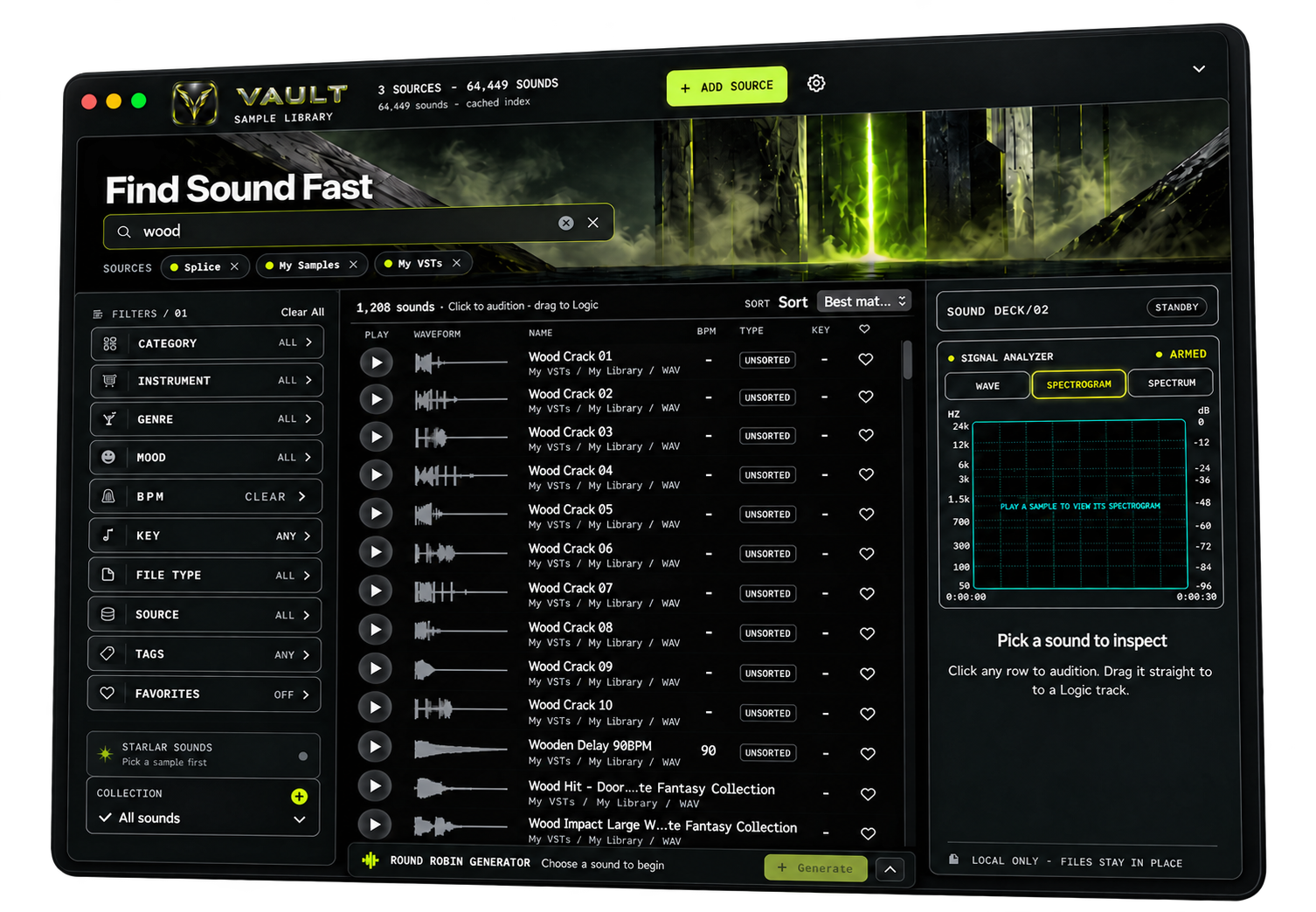
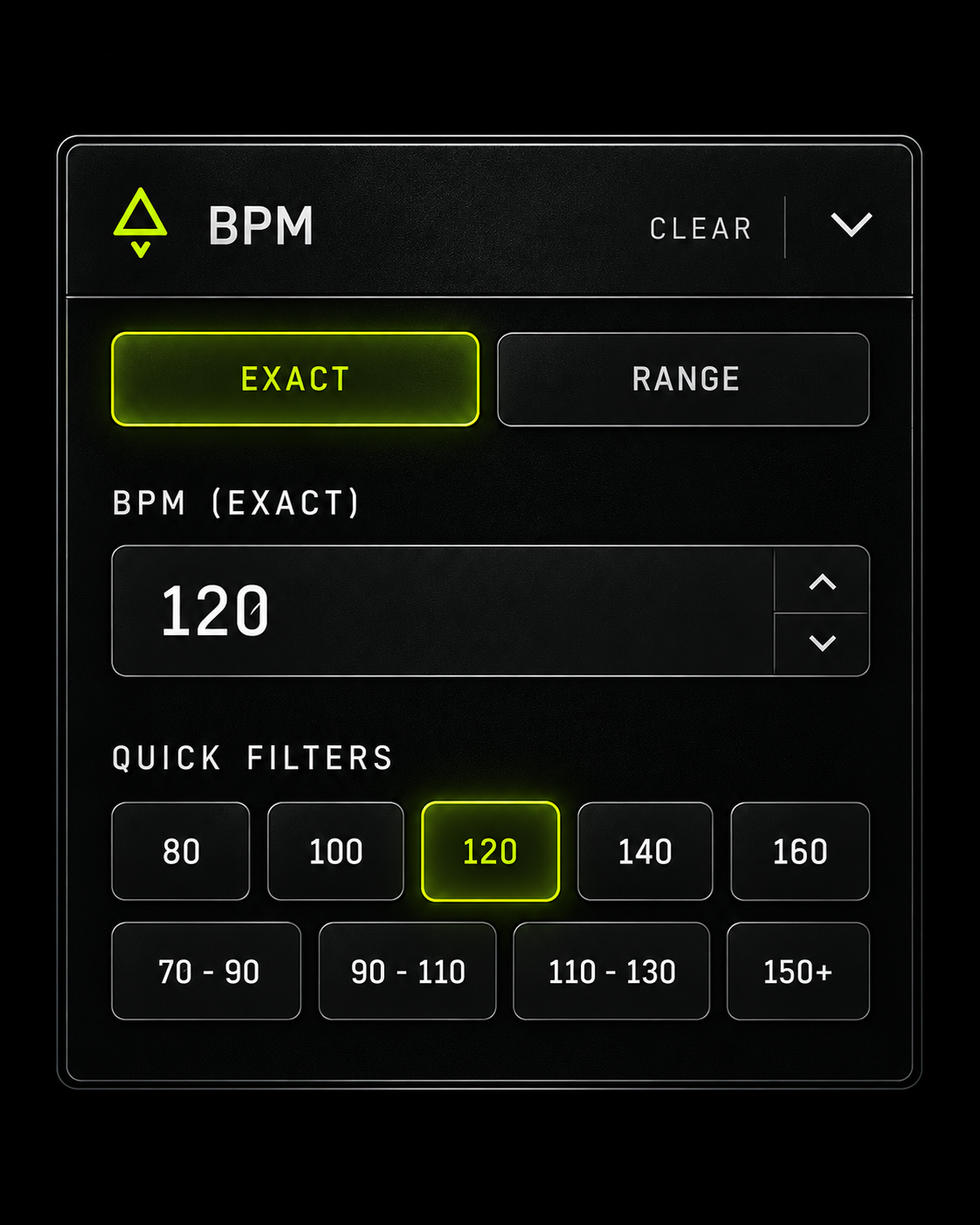
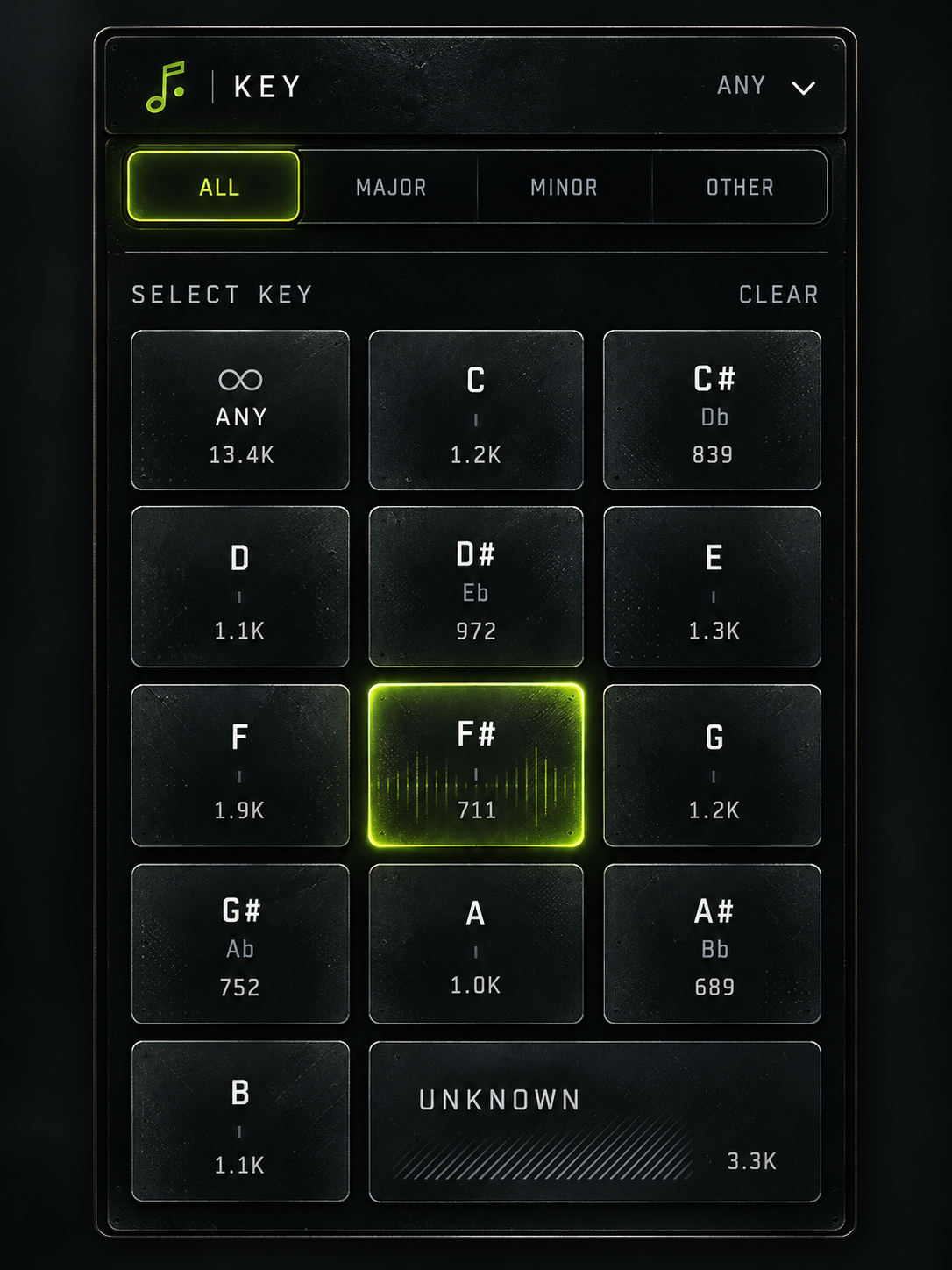
Search sample names and folders, then narrow a large collection with musical and descriptive filters.
Read waveforms, compare results, and inspect a sound before bringing it into your session.
VAULT works with folders you choose on your Mac. Your source samples stay where they are.

Search & audition
Search across the folders you select, narrow results with filters, then audition sounds without losing your place.
Round Robin Generator
Made for natural performances
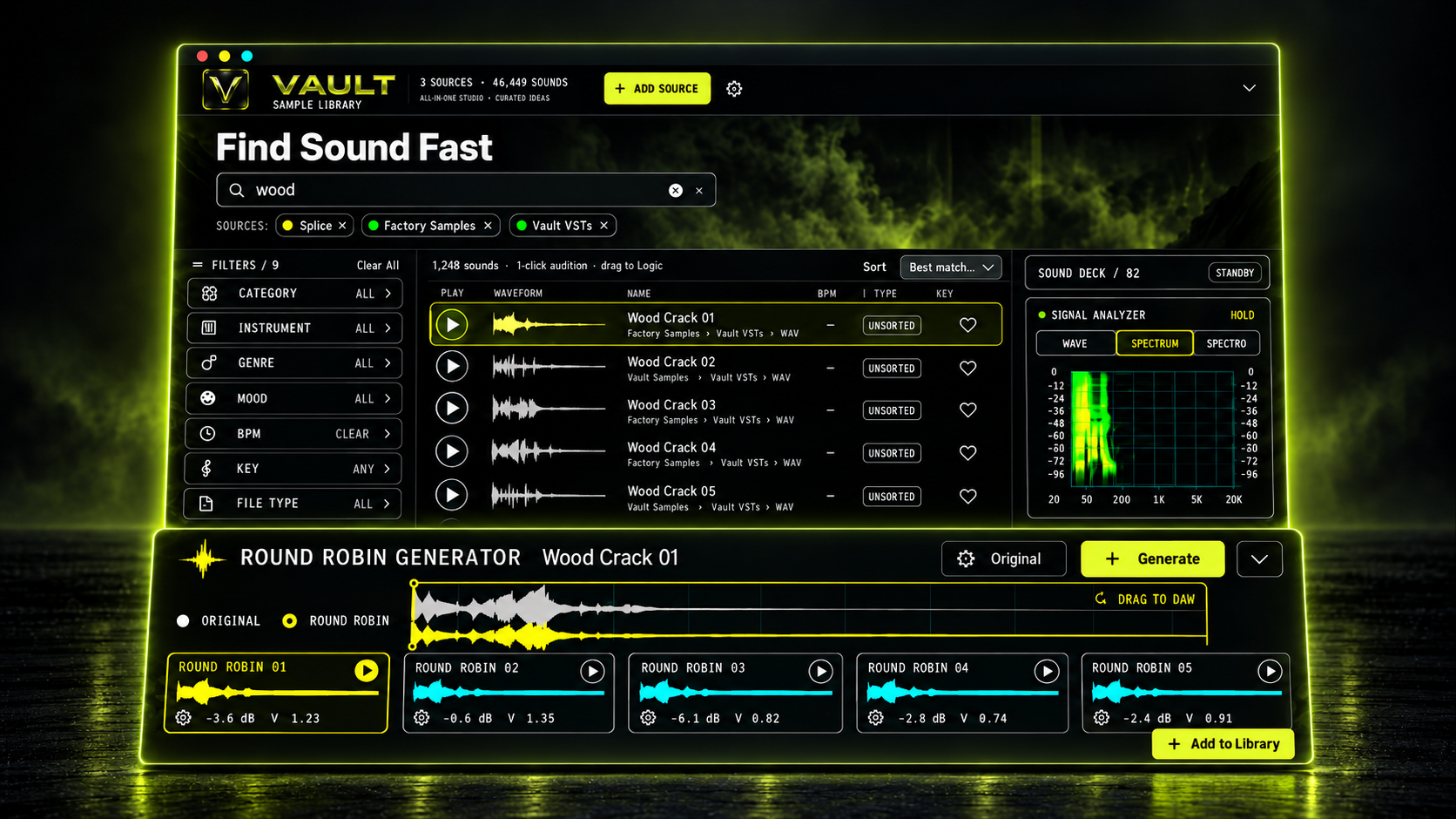
Each variation begins with the sound you chose.
Add subtle shifts in pitch, speed, tone, and stereo.
Audition each take, drag it into your DAW, or save only the versions you want.
The essentials
VAULT indexes the libraries you choose on your Mac. It does not upload, move, rename, or overwrite your source sounds. You decide when to save a new variation.
VAULT Sample Library
$39.95 USD
One-time purchase · macOS 13 or later
Hosted securely by Stripe. Sample libraries are not included.
VAULT indexes WAV, AIFF, FLAC, MP3, M4A, AAC, OGG, and OPUS filenames. Preview support for formats beyond WAV and AIFF depends on the macOS audio decoders available on that Mac. Automatic key, BPM, and sound-type classification is best-effort and should be treated as editable metadata.
The release is signed with Developer ID and notarized by Apple. If macOS asks whether to open the app, check that the developer is Aethr Audio and choose Open. Xcode is not needed to run it.
VAULT keeps your samples where they are. It stores library paths, search metadata, and waveform caches on your Mac. External drives must be mounted when you want to browse their files. If a source shows as offline, reconnect the drive and select that source again. If you previously denied access, review System Settings > Privacy & Security > Files & Folders and allow VAULT Sample Library to access the relevant location.
Automatic key and BPM tags come from filename and folder patterns or audio analysis and can be wrong, so review them for important sessions.
Alter creates a subtle variation from the original sample each time. It does not use the previously altered file as its source. The generator keeps the latest five variations available. Click a variation to audition it, or drag the large waveform into a DAW.
Choose Add to Library to save a WAV copy next to the original. VAULT adds _Alter 1, _Alter 2, and so on to the original filename, choosing the next available number. This does not overwrite or change the original. Alter is intended for mono or stereo sounds up to 90 seconds at sample rates up to 192 kHz. WAV and AIFF are the safest source formats. Generated variations that you have not saved are temporary app data.
Staging draft for review
VAULT Sample Library is a one-time purchase for $39.95 USD. It does not include sample libraries. Any applicable taxes will be shown before payment once checkout and tax settings are ready.
14-day refunds: You can request a refund for any reason within 14 calendar days of purchase, even if you have downloaded or installed VAULT. Email hello@aethraudio.com from your checkout email address, or include that address and your order number. We'll refund the amount paid, including any tax charged, to your original payment method. We'll submit the refund within 14 calendar days; your bank or card issuer may take additional time to post it.
After 14 days: Contact us if VAULT has a problem or does not match its product description. We'll work with you on a fix and provide any refund or other remedy required by applicable law.
After a refund: Your download entitlement may be turned off. Please delete VAULT and stop using it.
Your consumer rights: This policy does not limit rights or remedies that applicable law does not allow us to exclude.
Need a hand? hello@aethraudio.com
Release 1.0 · SHA-256 efac7415a404550cc89241c460466259cb0a1ad2b2e9642f453abaf72400a342